
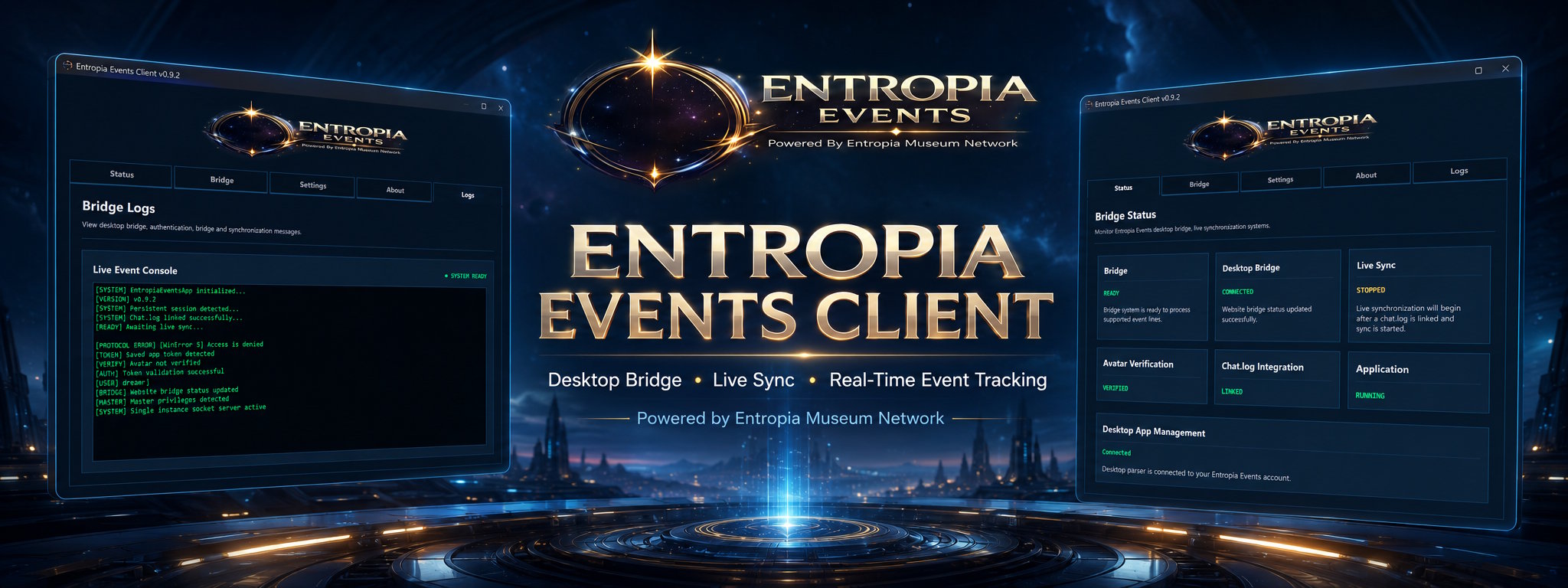
EntropiaEventsApp
The Entropia Events Client connects to your local Entropia Universe chat.log while you are actively taking part in events. Browsers cannot read local game log files, so the Desktop Client is needed for Live Sync, automated scoring and real-time leaderboard updates.
You are welcome to scan the download with Windows Security, VirusTotal or any antivirus tool you trust before opening it.
The Client does not ask for your Entropia Universe password, does not access your game account, and does not read your inventory, PED balance, private files or unrelated folders. It only helps submit relevant event activity from your selected chat.log.
The Entropia Events Client includes dedicated screens for status monitoring, account settings, live sync controls, logs and app information. App tokens are stored securely through Windows Keyring, chat.log linking is manually controlled by the user, and live synchronization can be started or stopped from inside the client.
Download the latest version of EntropiaEventsApp and start participating in automated Entropia Events.
Discord authentication, avatar linking, chat.log monitoring, live sync, event participation tracking and automatic event scoring.
Windows 10 or newer, Entropia Universe installed and access to your chat.log file.
Secure account authentication using the Entropia Events desktop login system.
Automatic avatar verification and profile linking through your chat.log.
Real-time chat.log monitoring and event data submission to Entropia Events.
Built-in protection to prevent multiple instances of the desktop client running simultaneously.
Added
- Added long-lived website login persistence so users remain logged in between browser restarts and normal PC shutdowns unless they manually log out.
- Added secure remember-login token handling for both Master and normal user accounts.
Improved
- Improved desktop client startup authentication so saved app tokens in Windows Credential Manager are validated more reliably.
- Improved desktop client behaviour when config.json is missing but a valid app token still exists in Windows Credential Manager.
- Improved website-to-app login handoff reliability after restored website sessions.
- Improved logout handling so website logout, app token revocation and bridge state cleanup stay aligned.
- Improved Master account handling across desktop bridge validation and reconnect flows.
- Improved bridge status lookup order so Master accounts are prioritised before normal user accounts.
Fixed
- Fixed users being logged out of the website after browser restarts or PC shutdowns due to PHP session expiry.
- Fixed website logout not fully revoking desktop bridge app tokens.
- Fixed desktop client login state not always changing back to Login after website logout.
- Fixed desktop client startup validation being skipped when config.json was missing.
- Fixed desktop client logout logic being blocked when config.json did not exist.
- Fixed Master account session handling in desktop bridge validation flows.
- Fixed desktop reconnect flow using outdated master_id session checks.
- Fixed bridge validation and bridge update logic not consistently following Master-first account priority.
- Fixed logout cleanup so bridge_connected, sync_active, chatlog_linked and bridge_last_seen are reset together with app_token.
- Fixed logout redirect behaviour so the login page refreshes cleanly after logout and does not leave stale Master navigation visible.
Added
- Added a dedicated Installation Guide page link inside the desktop client Bridge tab for faster setup help.
- Added support for opening the official Installation Guide directly from the desktop client.
- Added website-to-client avatar name synchronization so avatar names saved in the User Control Panel automatically appear inside the desktop client.
- Added client-to-website avatar name synchronization so avatar names saved in the desktop client update the website account record.
- Added avatar_slug synchronization when avatar names are saved through the desktop bridge.
- Added automatic account state polling so the desktop client can refresh avatar name, bridge, chat.log and live sync status from the website.
- Added live avatar name updates inside the Bridge tab when the website account record changes.
- Added improved desktop protocol authentication logging so received protocol URLs and token handoff status are visible in the Logs tab.
- Added bridge status debug output for HTTP errors, invalid JSON responses and missing app token states.
- Added clearer avatar save logging when an avatar name is saved inside the desktop client.
- Added automatic bridge update after saving an avatar name in the desktop client.
- Added app-side support for sending avatar_name to the website bridge status endpoint.
- Added website bridge endpoint support for saving avatar_name and avatar_slug from the desktop client.
- Added user-control-panel support for manually saving avatar names from the website again.
- Added two-way avatar name setup support so users can configure their avatar name either from the desktop client or from the website User Control Panel.
- Added automatic site-to-app status refresh so the desktop client can stay aligned with website bridge state.
- Added direct desktop-launch routing after website login so normal website login can also synchronize the desktop client.
- Added logout cleanup support so bridge, chat.log and live sync status can be reset when logging out of the website.
- Added current-user Windows protocol registration support so the desktop protocol can be registered without administrator access.
- Added more reliable desktop protocol handling for built EXE versions.
- Added single-instance socket handoff logging for desktop authentication protocol callbacks.
- Added full Installation Guide documentation covering download, login, avatar name setup, chat.log linking, live sync and avatar verification.
Improved
- Improved the desktop client onboarding flow so users are no longer forced into one fragile setup order.
- Improved login synchronization so logging in from the website or from the desktop client can both connect the app correctly.
- Improved logout synchronization so stale green bridge states are cleared instead of staying falsely connected.
- Improved avatar setup reliability by making the website and desktop client share the same database-backed avatar name state.
- Improved avatar name handling so the app field updates automatically when the user saves their avatar name from the website.
- Improved website avatar handling so avatar names saved in the desktop client are reflected in the User Control Panel.
- Improved bridge state accuracy by sending avatar_name, chatlog_linked, bridge_connected and sync_active together through the bridge status endpoint.
- Improved bridge status updates by switching the desktop app request to the clean API endpoint to avoid redirect method issues.
- Improved bridge request reliability by preventing POST requests from being converted into redirected GET requests.
- Improved desktop protocol reliability by registering the protocol under HKEY_CURRENT_USER instead of HKEY_CLASSES_ROOT.
- Improved first-run behaviour for normal users by removing the need for administrator permissions when registering entropiaeventsapp:// links.
- Improved app authentication resilience by making protocol URL handling easier to debug through visible Logs tab messages.
- Improved token handoff visibility with clearer auth, token and bridge messages in the desktop client Logs tab.
- Improved account state refresh logic by separating lightweight website state sync from full token validation.
- Improved avatar verification setup by ensuring the database has the avatar name before parser verification is attempted.
- Improved bridge status wording and colour accuracy so standby, saved and unauthenticated states are no longer shown as successful green states.
- Improved user-control-panel status consistency so website status better reflects actual bridge, chat.log and live sync state.
- Improved desktop client setup support by adding an Installation Guide button directly where account and bridge setup happens.
- Improved onboarding documentation with clearer setup order and explanations for both website and app avatar name entry.
- Improved beta support workflow by making Logs tab output more useful during login, bridge and avatar setup testing.
- Improved parser safety by adding event-type guards so event lines only count toward matching event types.
- Improved leaderboard and scoring integrity by preventing hunting lines from being inserted into mining, crafting or fishing event scores.
- Improved live event tracking architecture so users can still participate in multiple events of the same type without cross-type contamination.
- Improved reset and clean-test workflow by making protocol registration, config deletion and app token state easier to validate.
Fixed
- Fixed desktop client login not detecting website login state unless login was started from inside the app.
- Fixed website login failing to reliably hand the account token back to the desktop client.
- Fixed OAuth login flows losing desktop app context during login redirects.
- Fixed desktop-launch protocol URL formatting so it matches the desktop client authentication handler.
- Fixed the desktop app failing to register the entropiaeventsapp:// protocol for normal users without administrator permissions.
- Fixed WinError 5 Access Denied during protocol registration by moving registration to the current-user registry location.
- Fixed bridge update requests failing with Invalid request method because of PHP/clean URL redirect behaviour.
- Fixed the bridge status endpoint not receiving avatar_name from the desktop client.
- Fixed avatar names saved in the desktop client only being stored locally in config.json instead of being saved to the website database.
- Fixed avatar_name remaining NULL in the users or master table after saving the avatar name in the desktop client.
- Fixed avatar verification being blocked when the server account record had no avatar name configured.
- Fixed avatar_slug not being updated when avatar names were saved through the desktop bridge.
- Fixed the User Control Panel avatar save path not matching the desktop client avatar save path.
- Fixed website-side avatar saving so avatar_name, avatar_slug and avatar_name_verified are handled together.
- Fixed avatar verification state not being reset when a user changes their avatar name.
- Fixed the desktop client not updating its Avatar Name field when the avatar name was changed on the website.
- Fixed the website not reflecting avatar name changes saved through the desktop client.
- Fixed misleading green desktop status labels for states that were only saved, standby or not fully verified.
- Fixed Desktop Bridge standby state displaying as a successful green state.
- Fixed Avatar Verification saved state displaying as if it were fully verified.
- Fixed stale website bridge status remaining green after logout.
- Fixed logout not clearing bridge_connected, chatlog_linked and sync_active status from the account record.
- Fixed app logout not opening the website logout route.
- Fixed Start Live Sync and bridge state updates not always matching between the desktop client and website.
- Fixed chat.log linked status not always being reflected properly on the website.
- Fixed app status and website status drifting out of sync after login, logout, avatar save, chat.log link or live sync changes.
- Fixed parser cross-contamination where hunting global lines could be applied to mining, crafting or other non-hunting events.
- Fixed event score rows being updated for the wrong event type when users were registered to multiple event categories.
- Fixed event parser logic so hunting, mining, crafting, skilling and fishing lines are guarded by matching event_type_slug.
- Fixed the desktop client protocol callback being difficult to diagnose by adding clearer auth and bridge error logging.
- Fixed app build syntax issues caused by invalid multi-line Python assignment formatting.
- Fixed chat.log and bridge setup being too dependent on users completing the setup steps in one exact order.
Added
- Added a dedicated Bridge tab for account connection, avatar setup, chat.log linking and live synchronization controls.
- Added a redesigned Settings tab focused on client behaviour, startup preferences, display options and maintenance tools.
- Added Start Minimized setting for future startup behaviour control.
- Added Auto-start Live Sync setting so the client can remember whether live synchronization should start automatically when opened.
- Added Keep Client Always On Top setting with immediate window behaviour support.
- Added Launch Client On Windows Startup setting with Windows startup registry support.
- Added Compact Mode setting placeholder for future compact client display options.
- Added Clear Logs tool for quickly clearing the local Live Event Console.
- Added Open Config Folder tool for easier access to local client configuration files.
- Added Reset App Configuration tool for clearing local client settings, linked chat.log path and authentication state.
- Added local app_settings storage inside config.json so client preferences persist between sessions.
- Added bridge.py as a dedicated modular UI file for Bridge setup and synchronization controls.
Improved
- Replaced the default CustomTkinter tabview with a custom full-width top tab navigation system.
- Improved tab button sizing so tabs scale evenly across the client window.
- Improved active and inactive tab styling so the selected tab visually connects with the current page panel.
- Improved navigation layout by separating Bridge controls from general app Settings.
- Improved Settings organization so app preferences and maintenance tools are easier to understand.
- Improved client polish with clearer separation between system status, bridge setup, settings, logs and app information.
- Improved local settings persistence so selected options are remembered after closing and reopening the client.
- Improved support workflow by adding direct access to the local config folder.
- Improved log management with a built-in Clear Logs action.
- Improved desktop client presentation to better match the Entropia Events dashboard-style visual design.
Fixed
- Fixed Settings tab becoming overloaded with account, bridge and synchronization controls.
- Fixed the need for extra Settings page scrolling by moving bridge-related controls into their own tab.
- Fixed tab navigation feeling disconnected from the page content area.
- Fixed inconsistent tab sizing by replacing fixed-width tab behaviour with scalable full-width layout.
- Fixed missing local persistence for new client preference toggles.
- Fixed the Logs tab not having a quick built-in way to clear console output.
Added
- Added a new tab-based desktop client interface.
- Added Status tab for bridge, sync, avatar and chat.log status monitoring.
- Added Settings tab for account, avatar, chat.log and live sync controls.
- Added About tab with client information, version details and useful website links.
- Added Logs tab for desktop bridge, authentication and synchronization messages.
- Added modular client UI files for status.py, settings.py, about.py and logs.py.
Improved
- Improved desktop client layout and navigation.
- Improved app presentation so it feels more like a finished desktop companion client.
- Improved bridge, authentication, avatar verification, chat.log and sync status visibility.
- Improved tab styling to better match the Entropia Events visual design.
- Improved log visibility by moving console output into a dedicated Logs tab.
- Improved version handling using version.py as the single source of truth.
Fixed
- Fixed app version display being hardcoded in multiple places.
- Fixed desktop UI feeling too much like a single debug console.
- Fixed status feedback not clearly showing bridge and sync state inside the app.
- Fixed connected status color not resetting correctly after reauthentication.
Added
- Initial public release.
- Live chat.log monitoring.
- Desktop authentication system.
- Single instance protection.
- Secure app token storage using Windows Keyring.
- Avatar verification system.
- Real-time event synchronization.
Improved
- Desktop client stability and reliability.
- Desktop bridge communication.
- Configuration management.
Fixed
- General bug fixes and stability improvements.